
SDCL实验记录
七崽爱吃小饼干2025/09/22阅读 2
代码克隆
bash
git init
git clone https://github.com/yangbincv/SDCL
环境配置
python安装3.8版本
bash
conda create -n SDCL python=3.8
根据作者提供的setup.py需要安装以下包
python
      install_requires=[
          'numpy', 'torch', 'torchvision',
          'six', 'h5py', 'Pillow', 'scipy',
          'scikit-learn', 'metric-learn', 'faiss_gpu'],
根据其提供的requirements.txt安装对应版本的包。
这里torch的版本比较老,通过pip和conda安装不下来,直接手动下载后安装的。
下载
bash
# 下载 torch 1.12.0+cu116(Python 3.8 版本,对应你的环境)
wget -c https://download.pytorch.org/whl/cu116/torch-1.12.0%2Bcu116-cp38-cp38-linux_x86_64.whl

# 下载 torchvision 0.13.0+cu116
wget -c https://download.pytorch.org/whl/cu116/torchvision-0.13.0%2Bcu116-cp38-cp38-linux_x86_64.whl

# 下载 torchaudio 0.12.0+cu116
wget -c https://download.pytorch.org/whl/cu116/torchaudio-0.12.0%2Bcu116-cp38-cp38-linux_x86_64.whl
安装
bash
pip install torch-1.12.0+cu116-cp38-cp38-linux_x86_64.whl \
  torchvision-0.13.0+cu116-cp38-cp38-linux_x86_64.whl \
  torchaudio-0.12.0+cu116-cp38-cp38-linux_x86_64.whl
处理数据集
根据README提示,我们将SYSU-MM01 和RegDB两个数据集放在data目录下
SDCL
    - data
        - sysu
        - regdb
用提供的prepare_sysu.py和prepare_regdb.py两个脚本将数据集转换成market1501的格式。(这里代码仓库没找到这两个脚本,从ADCA复制过来的)
bash
python prepare_sysu.py
转换后的数据集目录
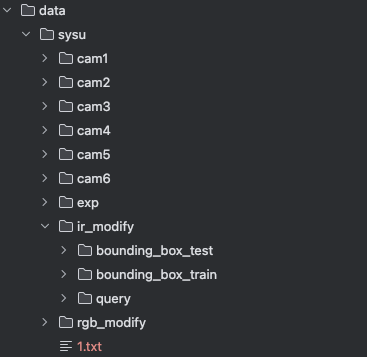
预训练模型下载
训练模型
SYSU_MM01数据集训练脚本
shell
sh train_cc_vit_sysu.sh
根路径错误
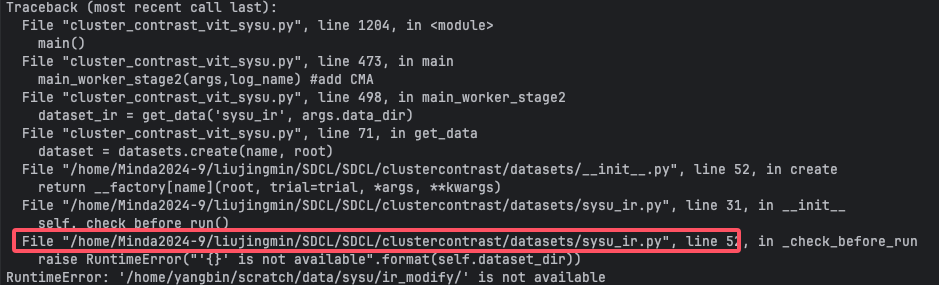 这块的根路径改成对应的
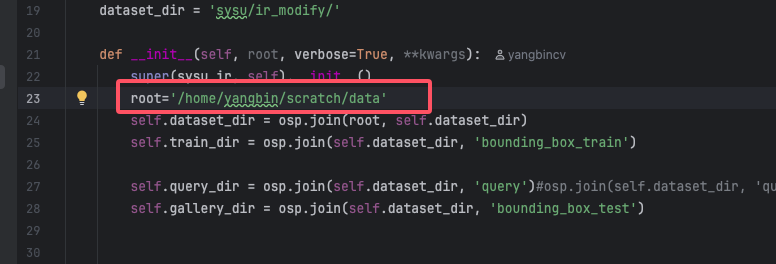 通过命令获得当前目录的绝对路径
shell
pwd
sysu_ir.py和sysu_rgb.py两个文件都要改根目录
内存不足
作者用的两张A100,本实验用的两张4090,所以有预期会发生这样的情况
报错提示到尝试再次分配内存的时候,内存不足了
 这里尝试减小
这里尝试减小batch_size,以减小所需的内存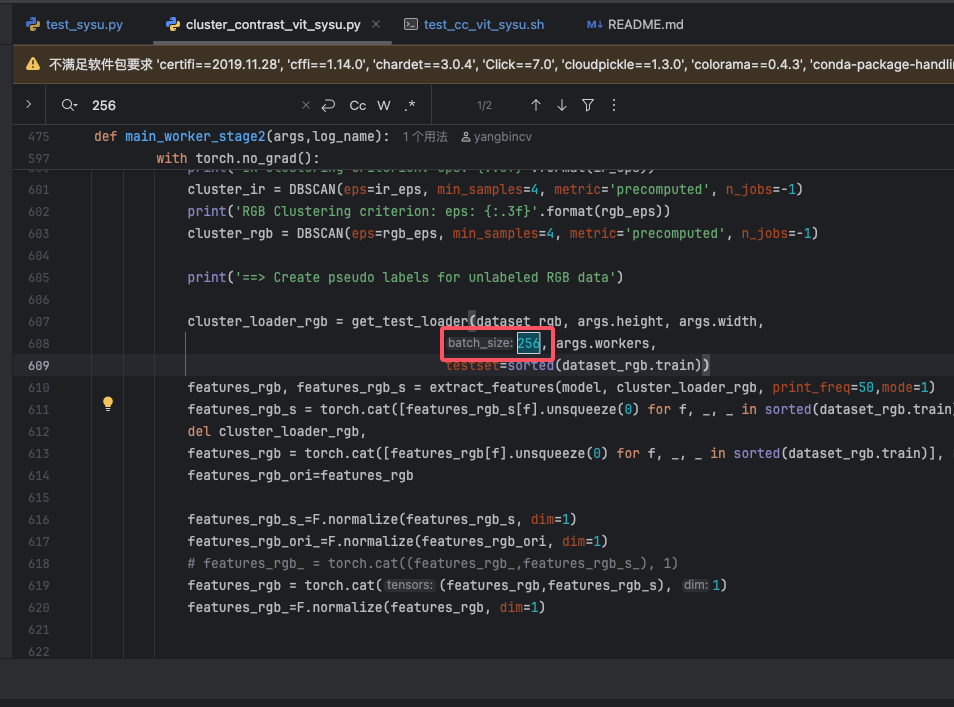
 显存还是爆了,又把
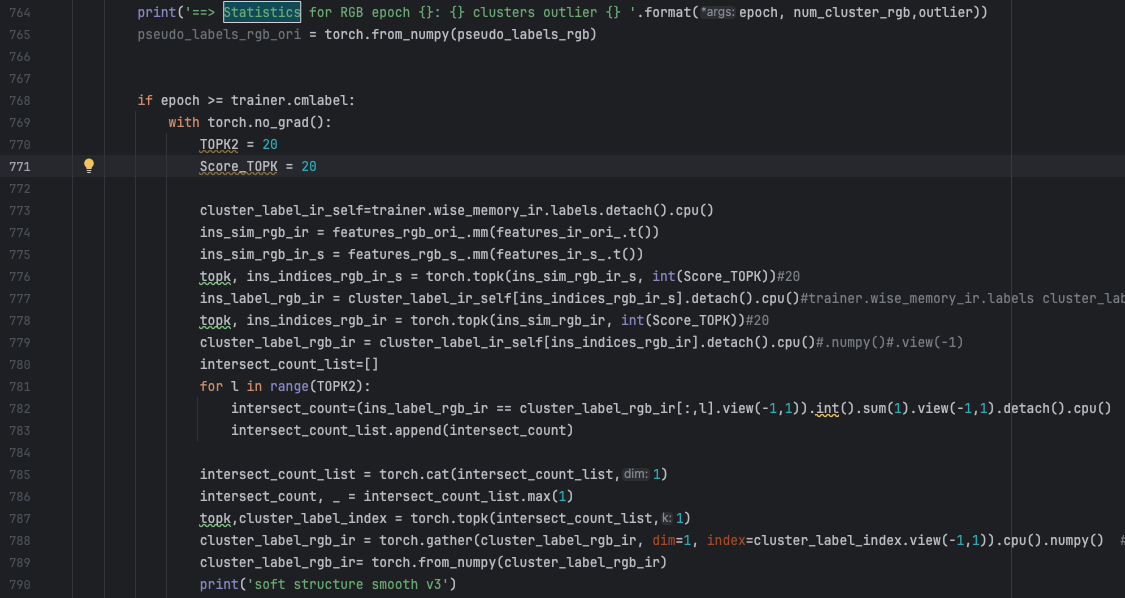
batch_size继续调小,还是爆了。通过观察GPU的状态,发现在显存爆之前,两张显卡的内存确实都是快爆满的状态,所以跟两张卡没有充分利用起来无关。问题大概在这两个打印之间:
写了一段函数用来监控当前的GPU使用情况
python
# 打印当前GPU的显存使用情况
def print_gpu_memory():
    # 获取当前设备(默认第0块GPU)
    device = torch.device("cuda:0" if torch.cuda.is_available() else "cpu")
    if not torch.cuda.is_available():
        print("无可用GPU")
        return
    # 总显存(GB)
    total_memory = torch.cuda.get_device_properties(device).total_memory / 1024**3
    # 已使用显存(GB)
    used_memory = torch.cuda.memory_allocated(device) / 1024**3
    # 缓存显存(GB,未被释放的临时缓存)
    cached_memory = torch.cuda.memory_reserved(device) / 1024**3
    print(f"GPU显存使用情况:总容量={total_memory:.2f}GB,已使用={used_memory:.2f}GB,缓存={cached_memory:.2f}GB")
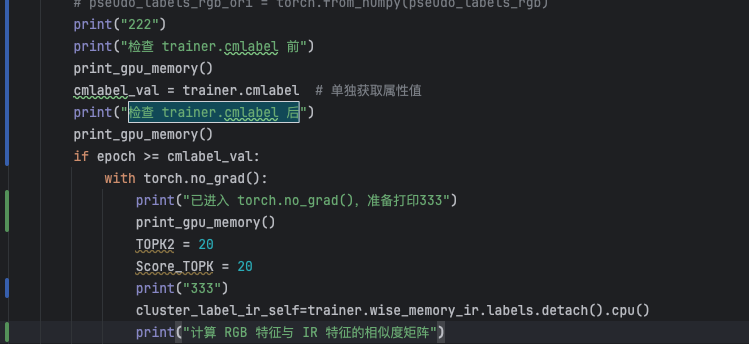
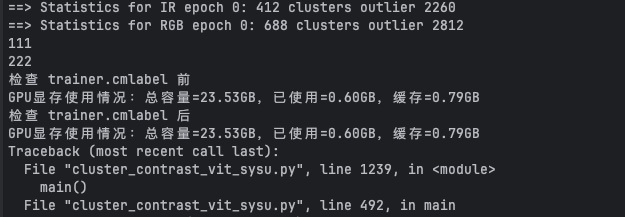 也就是说trainer.cmlabel后还是正常的,发生在准备打印333之前,也就是
torch.no_grad()